

Creating Your Ambassador Profile
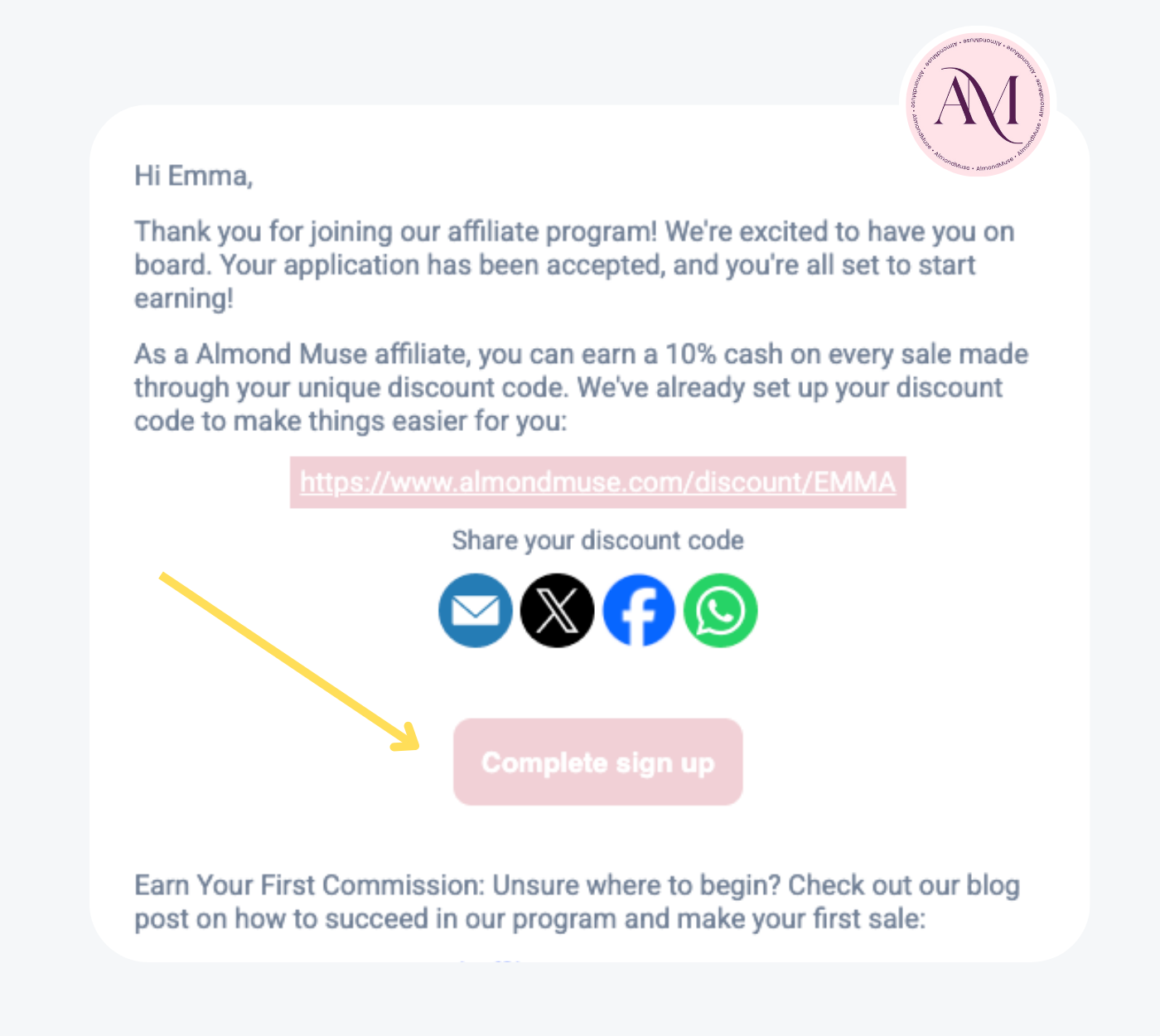
1. Welcome Email Confirmation
After being approved for the program, you will receive an email with your unique referral link. Click on Complete Sign Up to access your dashboard.
It’s sent from no-reply@noreply.snwbl.io and might land in your spam or Promotions tab. Don’t forget to check there!

2. Merchant Selection
When logging in for the first time, select Almond Muse from the list and click Enter Dashboard to access your account.

3. Share Your Referral Code
In your dashboard, you can find your personal referral code and affiliate link. Share it on social media or with friends to start earning commissions.

4. Track Your Performance
In the Shopify section, you can view your total orders, revenue, link clicks, earnings, and payouts. All your performance data is tracked in real-time.

5. Configure Payout Methods
Go to Payout Methods in the sidebar to configure how you want to receive your earnings. Make sure your payment details are up to date.

6. Manage Your Payouts
In the Payouts section, you can see your total earnings, paid amounts, and what is still owed. Track your payments easily from here.

7. Connect Your Social Accounts
To make it even easier to promote, you can connect your Instagram and TikTok accounts directly in your dashboard. This allows you to track and share your content easily.
Affiliates and Creators
Real rewards. Real value. Tailored to each stage of your growth.


